

Inbox & file transfer
Receive files from clients and send WAV files without the transfer dance
Give clients one link. They drop their WAVs, stems or sessions, and the files land in your workspace, analysed and ready to play, instead of in a download link that expires in a few days.
Free plan, no credit card required.
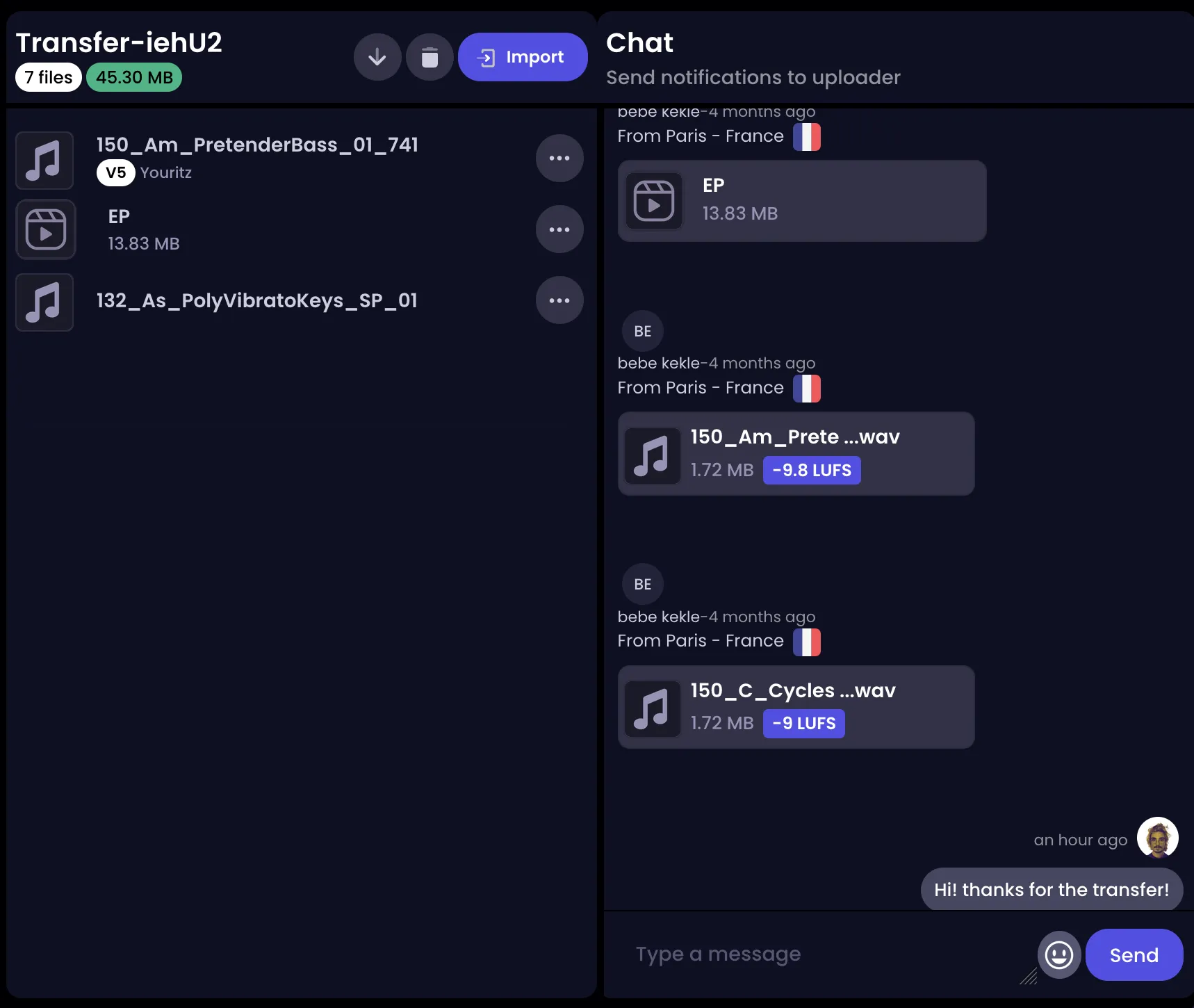
One inbox link to receive files from anyone
Copy your inbox link and send it to a client, an artist or a session musician. They do not need a Numa Studio account: they enter their email, confirm it with a 6-digit code, pick their files and send, up to 100 files per transfer.
Files arrive in your library, ready to work
Received audio is analysed like any upload: you see the loudness of each file, play it straight away and move it into the right project. A chat with the sender sits next to the transfer, so you can say thanks or ask for the missing stem in the same place.
Send WAV files the way they were bounced
Upload WAV, AIFF, FLAC, MP3 or M4A and Numa Studio keeps the original file. Share it with a link that allows downloads and the recipient gets the exact file you uploaded, while anyone can listen first in the browser through the streaming copy.
Other files such as PDFs, lyrics or ZIP archives can travel with the audio as documents.
No more expiring transfers
A transfer service is a delivery van: once the link expires, the files are gone and the conversation lives somewhere else. In Numa Studio the files stay in your workspace, with their versions, comments and share links, until you decide to remove them.
Who uses it
Related features
- Private share linksShare music privately with links you control: stream only or download, and see who listened.
- Versions & A/B compareKeep every version of a track and compare mixes A/B, loudness-matched.
- Numa Studio vs WeTransferA transfer link versus a workspace where files stay, play and get feedback.
Frequently asked questions
Does the person sending me files need an account?
No. They open your inbox link, enter their email, confirm it with a code we send them, and upload their files.
How many files can be sent at once?
Up to 100 files per transfer. Storage space depends on your plan; see the pricing page for the quota of each plan.
Can I send WAV files without them being converted?
Yes. The original file is kept as uploaded. Allow downloads on your share link and the recipient downloads the original WAV.
Which file types can I receive?
Any file can be sent. Audio files (WAV, AIFF, FLAC, MP3, M4A) are analysed and playable; other files are stored as documents alongside them.
Bring your next session into Numa Studio
Upload a track, share a private link and get feedback at the exact second it matters. Start on the free plan and upgrade when your catalog grows.
Start freeFree plan, no credit card required.
