

For mixing & mastering engineers
Run revision rounds and client approvals for mixing and mastering
Receive files from your clients, analyse them, and send them back with your mix or master, with notes pinned to the waveform and an explicit approval at the end.
Free plan, no credit card required.
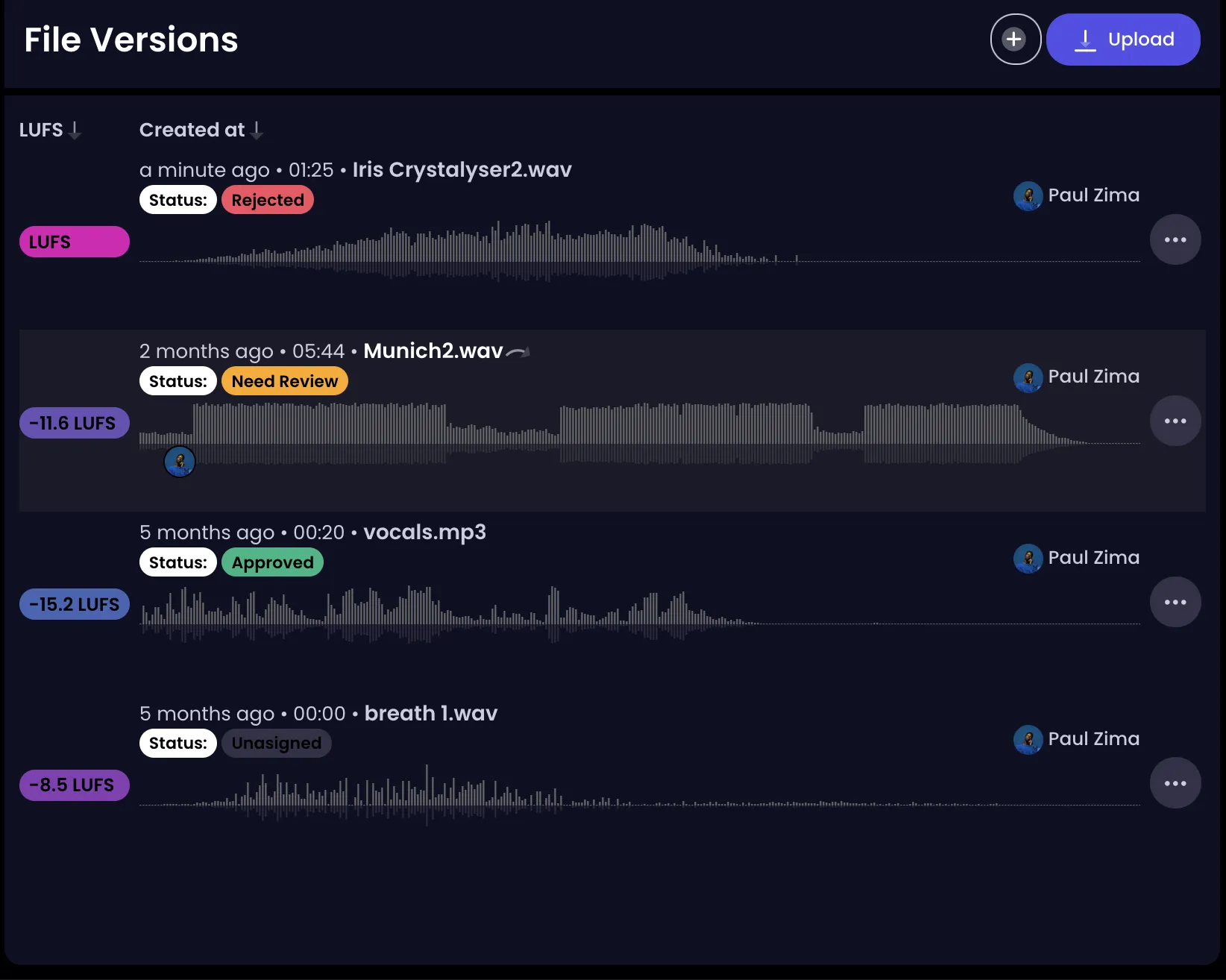
From stems to approved master in one place
- Intake: send your inbox link and receive multitracks and references from the client, no account needed on their side.
- Delivery: upload your mix and share it with a private link, stream-only until the invoice is paid, with downloads when you are ready.
- Revisions: upload each new mix as a version of the same track; the client's link does not change.
- Sign-off: the client marks the mix “Approve” or “Needs changes” on the review link.
Notes that point at the problem
Clients comment on the waveform at the exact second or over a range, reply in threads, and you tick notes as resolved as you fix them. Each comment stays on the version it was written about.
Loudness you can show, comparisons that are fair
Integrated LUFS and true peak are measured on every upload. When a client compares your new master with the previous one, the A/B player matches loudness so the decision is about tone and balance, not level.
The features you will use most
- Versions & A/B compareKeep every version of a track and compare mixes A/B, loudness-matched.
- Timestamped commentsComment at the exact second on the waveform, reply, and mark notes as resolved.
- Inbox & file transferReceive files from clients and artists through one link, straight into your library.
- Private share linksShare music privately with links you control: stream only or download, and see who listened.
How Numa Studio compares
Frequently asked questions
Can my client approve a mix online?
Yes. On a review link with comments allowed, the client can mark the track “Approve” or “Needs changes”, and the status shows on the version in your workspace.
Can I stop clients from downloading before payment?
Yes. Share a listening-only link, then allow downloads on it, or send a new link, when you are ready to deliver.
Do you show LUFS and true peak?
Yes. Integrated loudness (LUFS) and true peak (dBTP) are measured on each upload and displayed with the track.
Bring your next session into Numa Studio
Upload a track, share a private link and get feedback at the exact second it matters. Start on the free plan and upgrade when your catalog grows.
Start freeFree plan, no credit card required.
