

Timestamped comments
Timestamped comments on audio, right on the waveform
Click the waveform, type your note, and it is pinned to that exact moment of the track. No more “around 2:10, after the second chorus” in a long email thread.
Free plan, no credit card required.
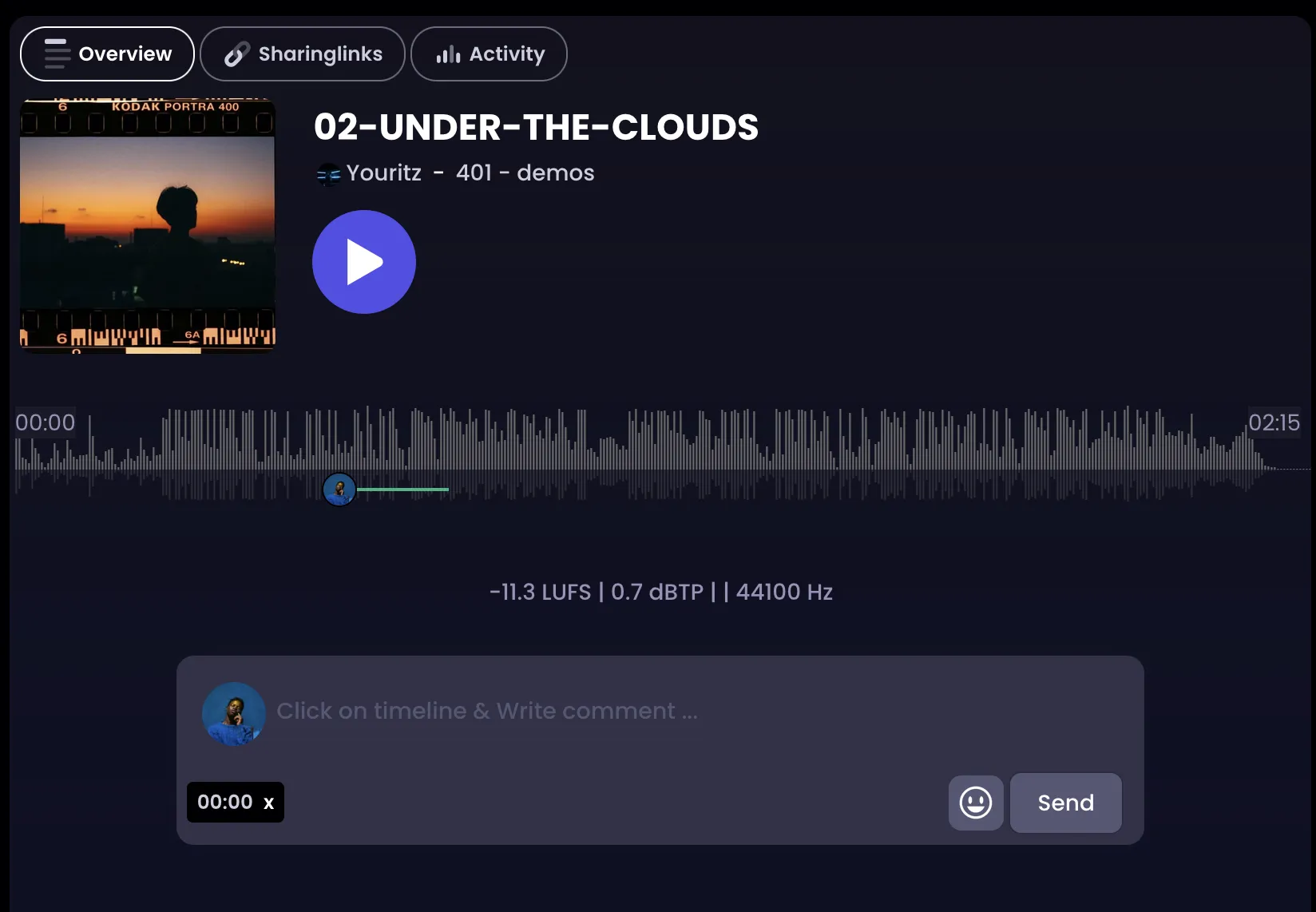
Comment on the audio waveform, at the second or over a range
Every comment carries a time position. Click a point of the waveform to comment on a moment, or select a range to talk about a whole passage, like a bridge that drags or a vocal take that needs a retune.
Markers stay visible on the waveform, so anyone opening the track sees where the notes are before pressing play.
Threads, replies and resolved notes
Feedback turns into a conversation, not a pile of messages. Reply under a comment to ask a question or confirm a fix, and mark it resolved when it is done.
- Replies: each comment can have its own thread, so decisions stay next to the moment they are about.
- Resolved state: tick a note when the change is made and see at a glance what is left to do.
- Email notifications: you get an email when someone leaves a new comment on your tracks.
Feedback from clients and collaborators through a private link
Share a track or a project with a private link and allow comments on it. Your collaborator listens in the browser and writes notes on the waveform; you see them in your workspace, on the right version of the track.
On a review link, the listener can also mark the track “Approve” or “Needs changes”, which gives you a clear answer instead of an ambiguous “sounds good”.
Why time-coded feedback saves revision rounds
Notes written from memory are vague, and vague notes cost an extra round. A comment anchored to a timestamp is precise by design, it lives with the audio rather than in an inbox, and it can be ticked off when the fix is in. That is the whole point: fewer messages, fewer misunderstandings, more time on the music.
Who uses it
Related features
Frequently asked questions
Can I comment on a specific part of a song instead of a single second?
Yes. You can select a range on the waveform and attach your comment to that passage, or click a single point to comment on one moment.
Do people need an account to leave comments?
Anyone with the link can listen in the browser. To write comments, reviewers sign in to Numa Studio, which is free, so every note is tied to a name.
Can I reply to a comment and mark it as done?
Yes. Each comment has a reply thread and can be marked as resolved once the change is made.
Will I know when someone leaves feedback?
Yes. Numa Studio sends you an email when a new comment is posted on your tracks, and the comment shows up on the waveform.
Bring your next session into Numa Studio
Upload a track, share a private link and get feedback at the exact second it matters. Start on the free plan and upgrade when your catalog grows.
Start freeFree plan, no credit card required.
